
LoyalKit Cards for small business
Turn a paper punch card into a digital reward customers keep
Keep the simplicity of buy-nine-get-one-free while moving progress, redemption, and customer records into a digital workflow.
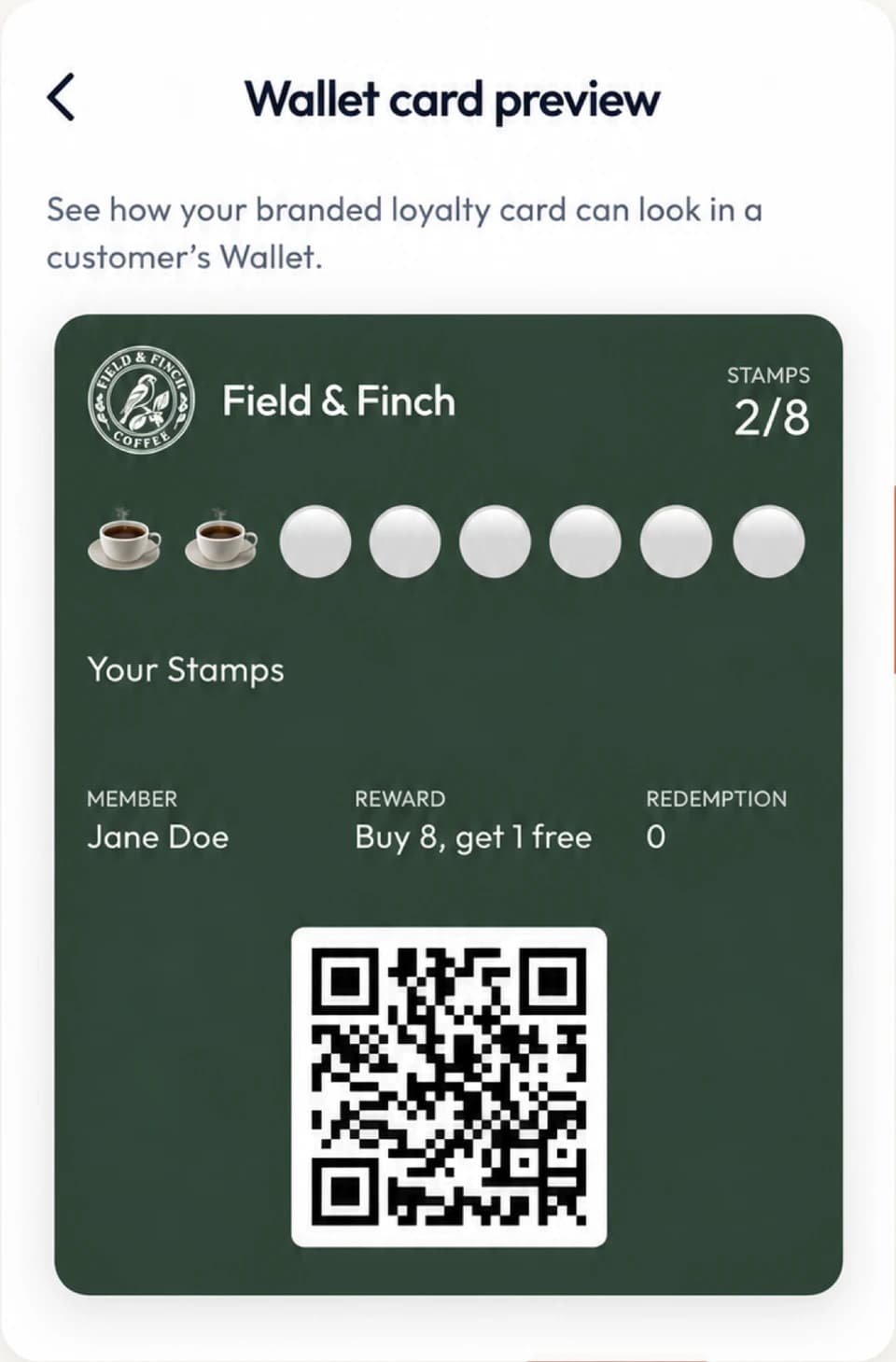
A digital punch card keeps the familiar rule of earning a fixed number of stamps toward a reward, but stores progress in LoyalKit and displays it on a supported Apple Wallet or Google Wallet pass. Customers present the QR on their pass; staff record the action through the LoyalKit scanner app on iOS or Android, or the authorized web dashboard.
The customer scans your shop's join QR code.
They add the branded card to Apple Wallet or Google Wallet.
Staff add stamps or points and the Wallet pass updates.
Start with the reward economics
A stamp threshold is an offer the business must be able to fulfill, not just a number that looks attractive on a card. Work from the direct cost of the reward, the normal contribution from qualifying purchases, how often a genuine regular visits, and how many completed cards the business could support.
A common example is “buy nine, receive the tenth,” but that is not a universal recommendation. A free item with a $4 direct cost has a different effect from a $4 discount on a high-margin service. Taxes, exclusions, substitutions, and whether one transaction can earn multiple stamps also change the calculation.
Simple reward break-even check
Estimate how many genuinely incremental visits would cover the direct cost of one reward. This is a planning aid, not proof that the program caused those visits.
Break-even estimate: 2 additional visits per redeemed reward.
The calculator estimates how many genuinely additional visits would cover a reward's direct cost. It does not prove that a loyalty program caused those visits. Review actual completion, redemption, and reward-cost data after launch.
Decide whether stamps or points fit better
| Program question | Stamps | Points |
|---|---|---|
| Qualifying purchases | Usually similar in value | Can vary more widely |
| Customer explanation | One purchase or visit earns one stamp | A written rule converts behavior or spend into points |
| Reward structure | A fixed threshold and reward | One or more rewards with point costs |
| Staff action | Add the allowed stamp | Choose a preset or enter an authorized point amount |
| Best fit | Clarity and fast counter training | More flexibility when values differ |
| Main risk | Over-rewarding low-value qualifying purchases | Rules becoming hard to calculate or explain |
Use stamps when staff and customers can apply one earning rule consistently. Use points when different qualifying actions need different values and staff can enter them accurately. If a points calculation depends on every receipt line, discounts, refunds, or taxes, a POS-integrated loyalty system may fit better.
Write the earning rule before configuring the card
The rule should answer these questions in plain language:
- Exactly which item, service, visit, or minimum purchase earns progress?
- Does one transaction earn at most one stamp, or can it earn more?
- What is the reward, and are substitutions or upgrades allowed?
- Can the reward be combined with another offer?
- What happens after a refund, staff mistake, or disputed action?
- Does progress or the reward expire, and how is that communicated?
Do not rely on staff to invent answers during checkout. Put the customer-facing rule where customers can see it and keep an internal correction procedure for staff.
The exact counter workflow
- Complete the qualifying sale in the business's existing checkout system.
- Ask the customer to open their Wallet loyalty pass and present its individual QR code.
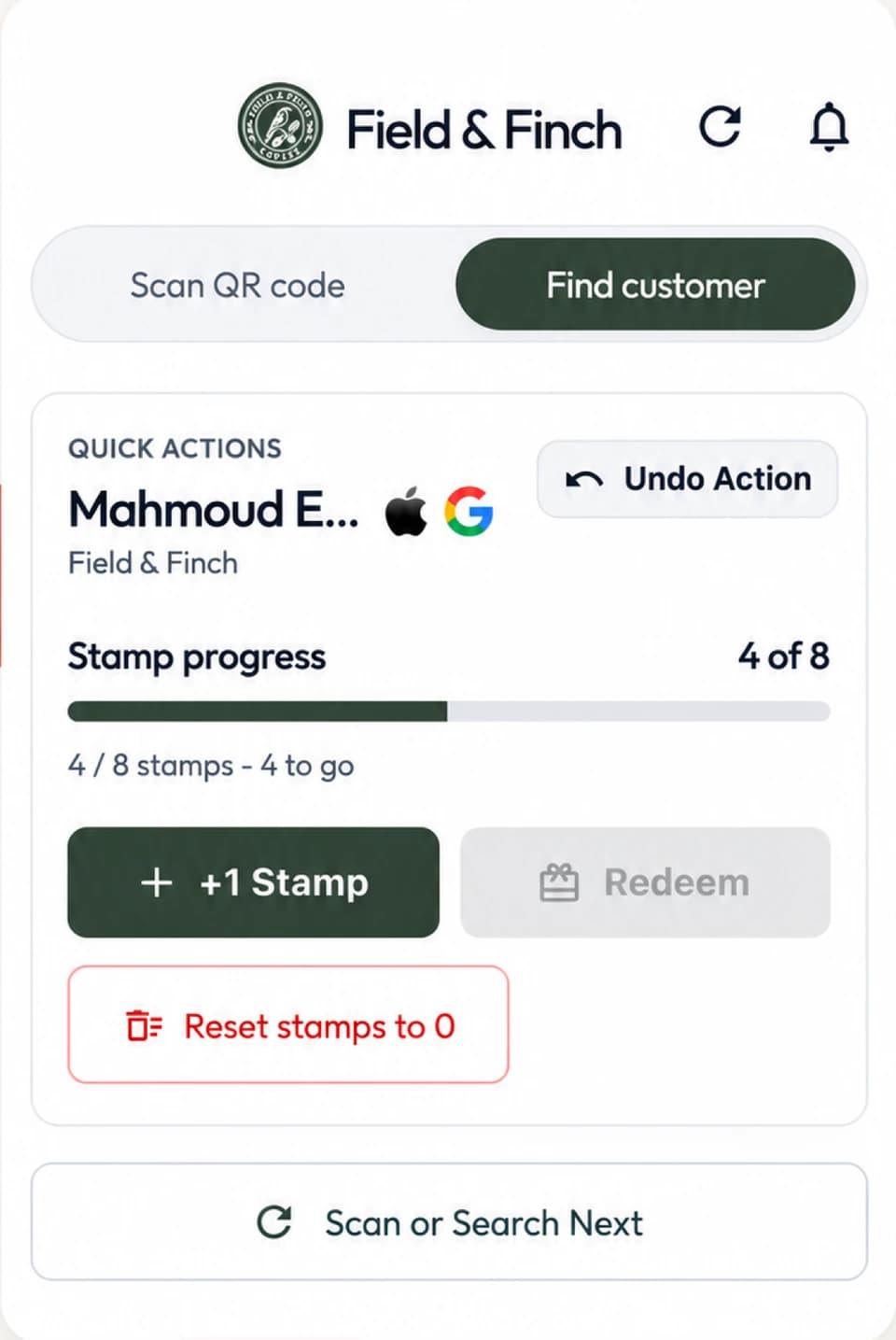
- Scan it with the LoyalKit app on iOS or Android. If scanning is not available, authorized staff can find the customer in the web dashboard.
- Confirm the customer and select the allowed stamp, points, or redemption action.
- Check that the activity appears and tell the customer their new progress.
Customers can carry a supported Apple Wallet or Google Wallet pass. Staff can scan either pass with the LoyalKit app on iOS or Android. The web dashboard provides a separate authorized workflow. Read the Apple Wallet and Google Wallet journey for supported-device details.
For a counter-specific example, see how this process fits a coffee shop loyalty program.
Corrections and abuse controls
Digital records make an action reviewable, but software cannot replace operating discipline. Give access only to active staff, grant only the permissions each role needs, and train staff not to add progress from screenshots, copied codes, or an unverified customer search result.
Authorized staff can undo the most recent eligible loyalty action through the supported correction workflow. That is safer than silently rewriting a balance, but the business should still document why and when corrections are allowed. Review unusual activity, repeated corrections, rapid earning, and redemptions that do not match the written rule.
No QR-based system makes abuse impossible. A visible activity history, staff access control, customer confirmation, and a consistent counter rule reduce avoidable mistakes and make suspicious patterns easier to investigate.
Digital punch-card launch checklist
- Define exactly which purchase or visit earns progress.
- Model the threshold and direct reward cost using the business's own margins.
- Write reward exclusions, refund handling, and correction rules in plain language.
- Test signup on a compatible iPhone and a supported Android phone.
- Test earn, redeem, and eligible undo actions with each staff role.
- Keep the iOS or Android scanner app signed in only for authorized staff or use the web dashboard.
- Review completion, redemption, and correction patterns after launch.
Digital versus paper punch cards
A digital record can preserve progress, show current status in a supported phone Wallet, and record staff actions. Paper can be faster to start, work without connectivity, and allow anonymous participation. The balanced paper versus digital punch card guide includes a cost worksheet and migration checklist.
Pricing
The digital punch-card features are part of LoyalKit's standard plans. After a 14-day trial, the current web price is per month or per month. Prices exclude tax. Applicable tax is calculated at checkout.. Review full LoyalKit Cards pricing, including cancellation and refund terms.
Is a digital punch card the same as a points program?
Not exactly. A punch or stamp program usually adds a fixed unit toward one threshold. Points can support different earning amounts and multiple rewards.
Does staff need new checkout hardware?
LoyalKit does not replace the POS. Staff use the LoyalKit scanner app on iOS or Android, or an authorized web-dashboard workflow.
Can a business correct a mistaken stamp?
Authorized staff can undo the most recent eligible loyalty action through the supported correction workflow. The business should define when corrections are allowed and review the recorded activity.
Can customers tap their phone to earn a stamp?
No. LoyalKit uses the QR code on the customer's Wallet pass for identification and does not claim NFC tap-to-earn support.
Does a digital punch card guarantee more repeat visits?
No. The software records participation and progress, but business results depend on the offer, customer behavior, staff execution, and other factors.