
LoyalKit Cards for small business
A digital loyalty card your customers will not leave at home
See how a Wallet-based loyalty card replaces paper punch cards while keeping signup, staff actions, and reward tracking simple.
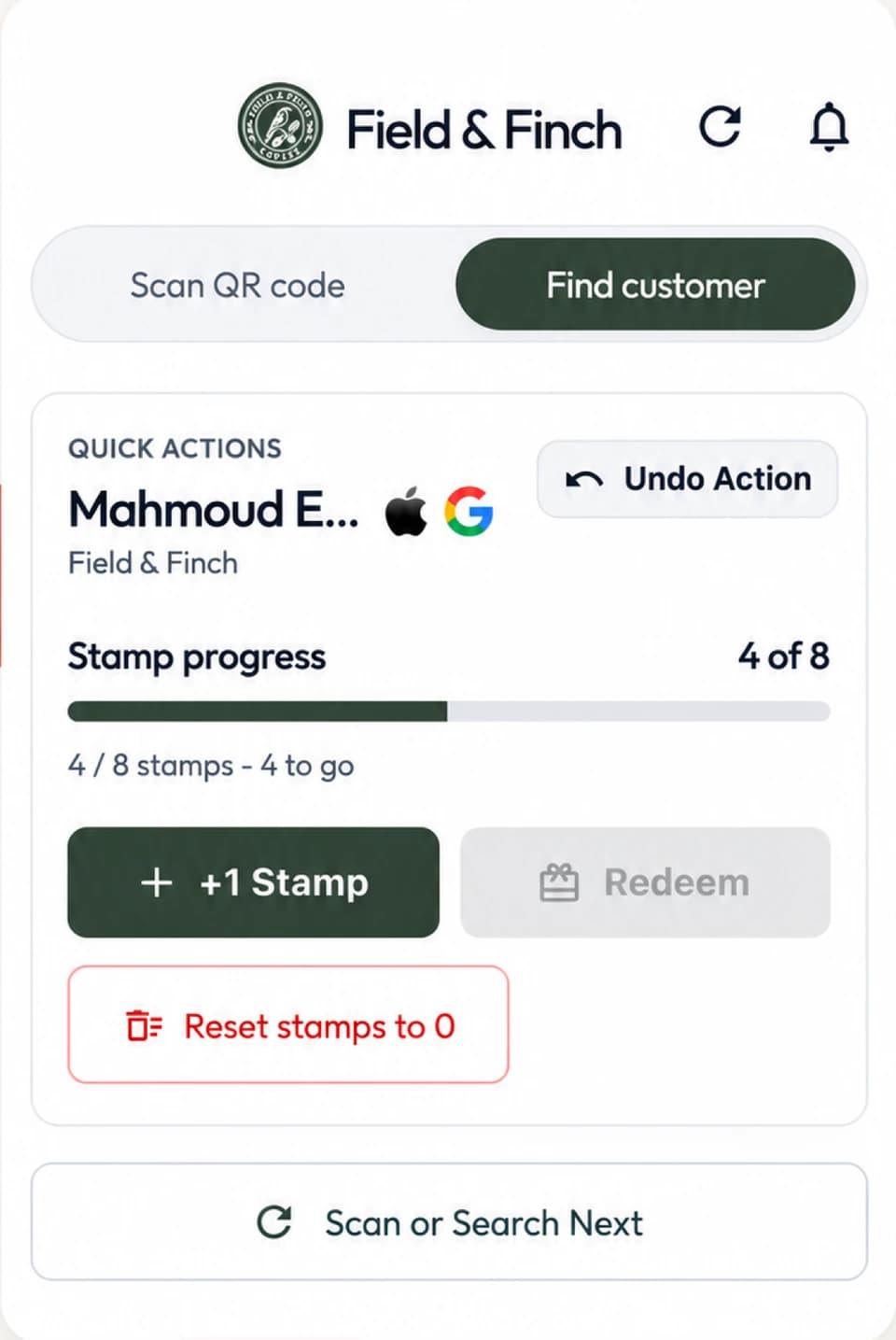
LoyalKit is digital loyalty-card software for small businesses. A customer joins from the business's QR code and saves a branded pass to Apple Wallet on a compatible iPhone or Google Wallet on a supported Android phone. Staff then record stamps, points, corrections, and redemptions with the LoyalKit scanner app on iOS or Android, or the web dashboard.
The customer scans your shop's join QR code.
They add the branded card to Apple Wallet or Google Wallet.
Staff add stamps or points and the Wallet pass updates.
What a digital loyalty card changes
Paper cards are simple at the counter. Their weakness appears later: customers forget them, lose them, or start another card. A digital card keeps progress attached to a customer record and shows the current balance on the supported phone the customer already carries.
The goal is still a simple reward, not a complicated checkout system. LoyalKit runs beside the register. The point-of-sale system remains responsible for the sale, tax, receipt, and payment, while LoyalKit records the separate loyalty action. See the detailed standalone loyalty workflow if keeping the existing POS is a priority.
The complete customer and staff flow
- The business creates a stamp or points program, adds its branding, and prints the generated shop join QR code.
- A customer scans that join QR with their phone camera, enters the requested signup details, and chooses the Wallet option available on their supported phone.
- The customer saves the branded loyalty pass. They do not need a separate LoyalKit customer app.
- At a qualifying visit, the customer opens the pass and presents its individual QR code.
- Staff scan that QR with the LoyalKit app on iOS or Android, or find the customer from an authorized web-dashboard session, then select the correct earn or redeem action.
- LoyalKit records the activity and updates the pass balance or stamp progress.
The shop QR and customer pass QR do different jobs. The first enrolls a customer; the second identifies an existing loyalty record. A dedicated QR code loyalty guide is staged for a later release and will cover counter placement and operating controls in more depth.
Supported customer devices
LoyalKit offers an Apple Wallet pass for a compatible iPhone and a Google Wallet pass for a supported Android phone with Google Wallet available. Apple and Google control Wallet availability, account requirements, and the precise interface on each device. LoyalKit does not promise support for every phone, browser, region, smartwatch, or modified operating system.
Customers on unsupported devices should not be told that a Wallet pass will work. A business should test its own join page and both supported Wallet flows before placing the QR code at the counter. Read the Apple Wallet and Google Wallet comparison for the platform-specific journey.
What the customer sees
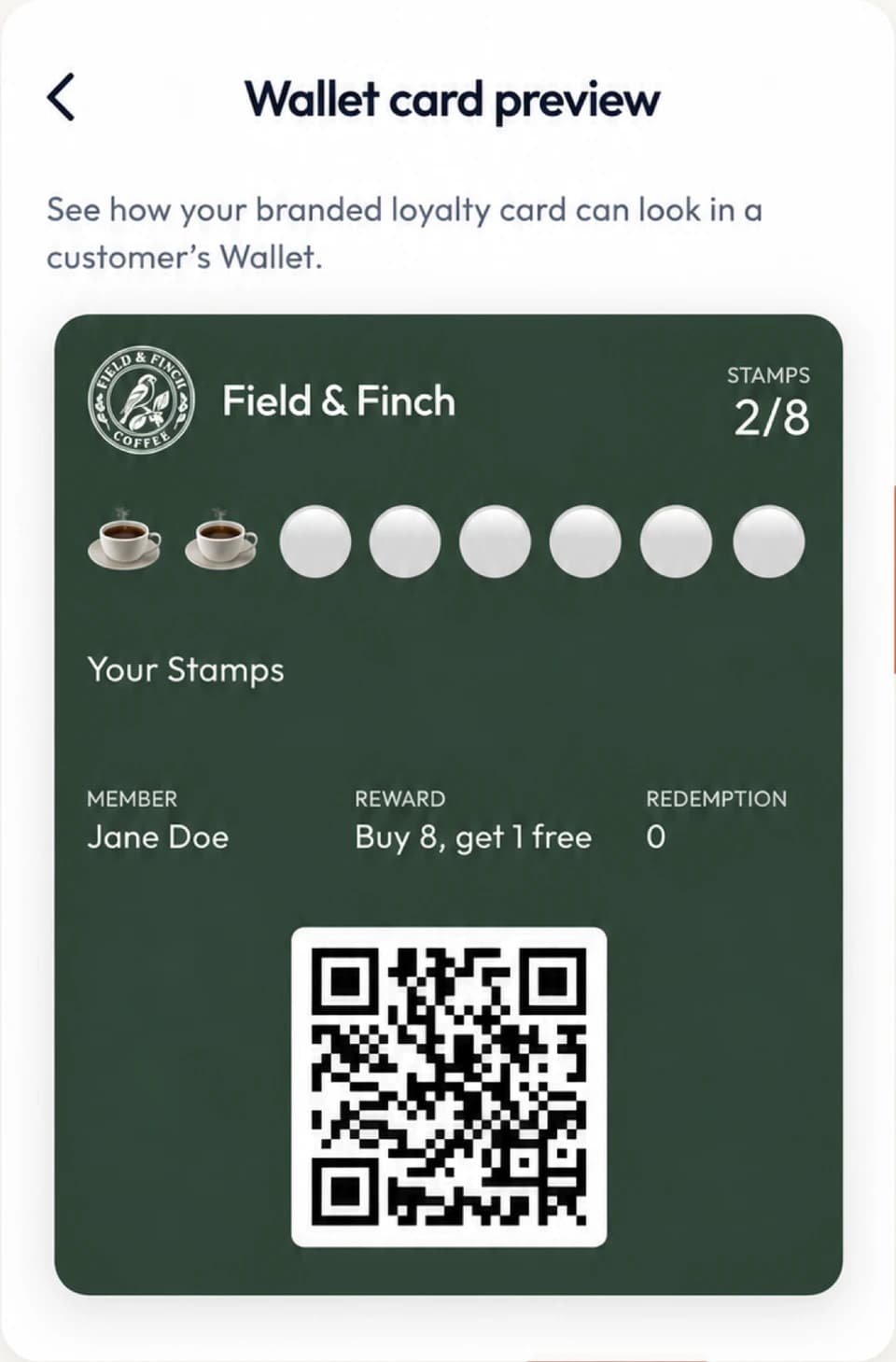
The pass can show the shop's name and branding, the customer's first name, stamp or points progress, reward information, and the QR code staff use for identification. When an authorized staff action changes the loyalty record, LoyalKit generates the corresponding pass update.
This is not a claim that Apple Wallet and Google Wallet look identical. Each platform presents passes through its own interface. The consistent part is the shop program, customer record, reward rule, and staff workflow.
What the business controls
- Shop name, logo, brand color, and customer-facing pass message.
- Stamp thresholds, points earning presets, and points rewards.
- Staff access and which loyalty actions a staff member may perform.
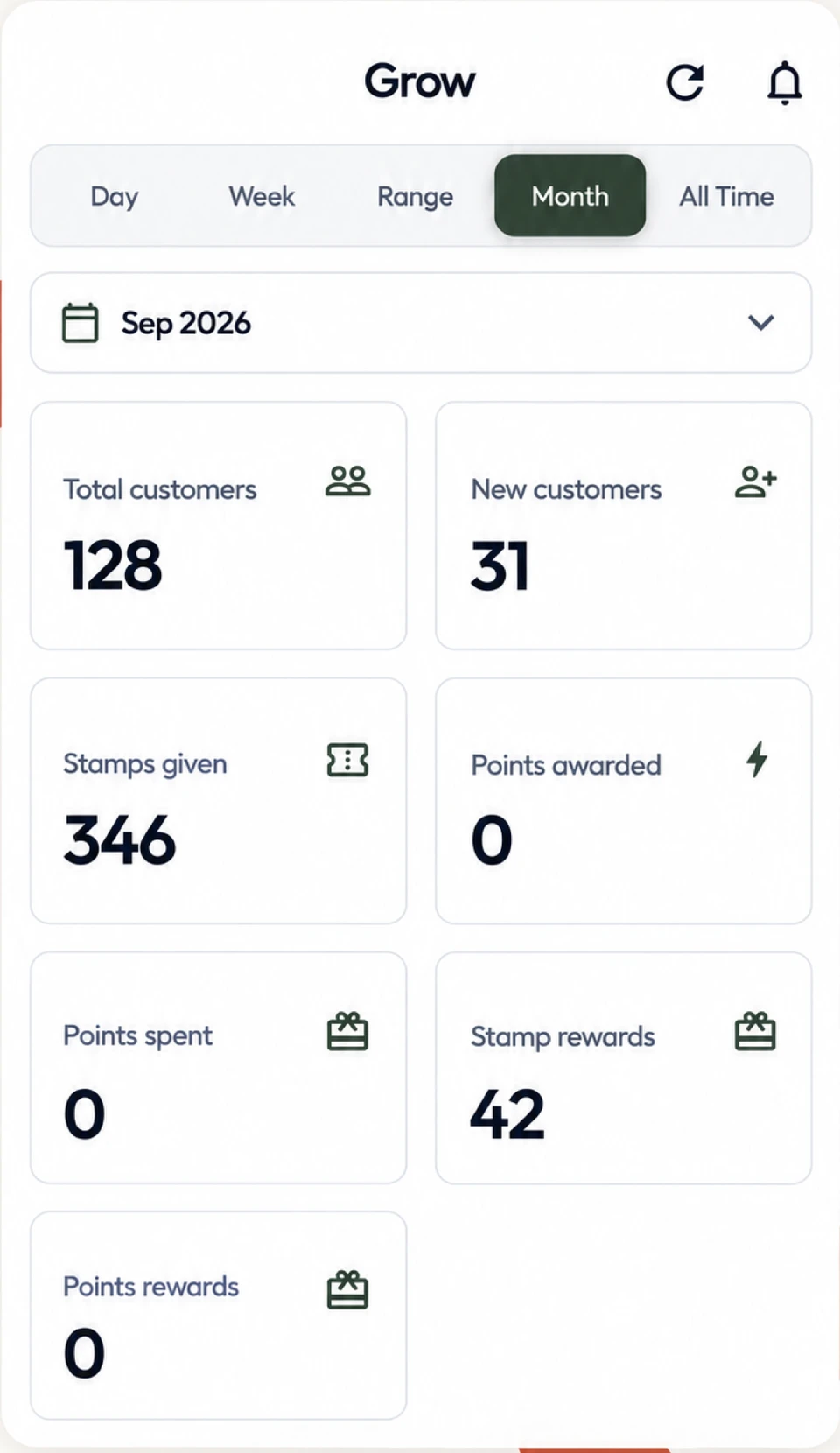
- Customer records, balances, redemptions, and recorded activity.
- Corrections through authorized workflows rather than editing a physical card.
For a fixed visit threshold, the digital punch card guide explains reward economics and correction controls. Points can fit businesses whose qualifying purchases vary more widely in value.
What to verify before launch
LoyalKit does not need invented performance claims to demonstrate the workflow. A business can verify the parts it will actually use before inviting customers:
- Complete a test signup with a compatible iPhone and a supported Android phone.
- Confirm that the correct shop name, logo, colors, and reward wording appear.
- Add a test stamp or point amount from the scanner app on iOS or Android and from the web dashboard.
- Undo an eligible test action and verify the activity record.
- Complete a test redemption and confirm the balance or stamp state changes as expected.
- Confirm staff without the relevant permission cannot perform that action.
These checks prove the configured flow works for that shop. They do not prove that the program will cause a particular revenue, retention, or visit-frequency result.
When this approach fits
Wallet-based loyalty can fit local businesses with repeat visits and a rule that staff can explain quickly, including cafés, bakeries, salons, barbershops, restaurants, boutiques, pet groomers, and car washes.
It is a weaker fit when the reward must be calculated automatically from transaction line items, when refunds must reverse loyalty without staff input, or when loyalty must be embedded deeply in an enterprise checkout. In those cases, a supported POS-integrated product may be the better choice.
| Question | LoyalKit approach | Operational effect |
|---|---|---|
| Customer download | No separate LoyalKit customer app | Join from a QR and save to a supported phone Wallet |
| Checkout system | Runs beside the existing POS | No register migration or payment integration |
| Customer identification | Individual pass QR code | No NFC tap is required |
| Staff tools | iOS and Android scanner app or authorized web dashboard | Staff can scan either supported customer Wallet pass |
| Program formats | Stamps and points | Choose the clearest rule for the business |
| Pricing | See the current pricing below | Same standard features and a 14-day trial on either billing schedule |
Pricing and setup
LoyalKit Cards offers a 14-day trial with no credit card required. The current web price is per month or per month. Prices exclude tax. Applicable tax is calculated at checkout.. Both billing schedules use the same standard product feature set. Review the full pricing, tax, cancellation, and refund details before subscribing.
Start by choosing one valuable customer behavior and one clear reward. Add the shop branding, print the generated join QR code, and test the join, earn, correction, and redemption paths with authorized staff before inviting customers.
Does a digital loyalty card store payment information?
No. LoyalKit loyalty passes show program information and an identification QR code. They do not contain a customer's payment-card details and cannot take payment.
Does the pass use NFC or tap to earn?
No. Staff identify a LoyalKit customer by scanning the QR code on the pass or by using an authorized customer search in the web dashboard.
Can customers use both iPhone and Android phones?
Customers can choose Apple Wallet on a compatible iPhone or Google Wallet on a supported Android phone. The same shop join QR begins either available flow.
Does LoyalKit replace the point-of-sale system?
No. LoyalKit runs as a separate loyalty workflow beside the checkout system a business already uses.
Can the card use points instead of stamps?
Yes. A shop can configure stamp programs, points programs, or a combination that fits its reward structure.